




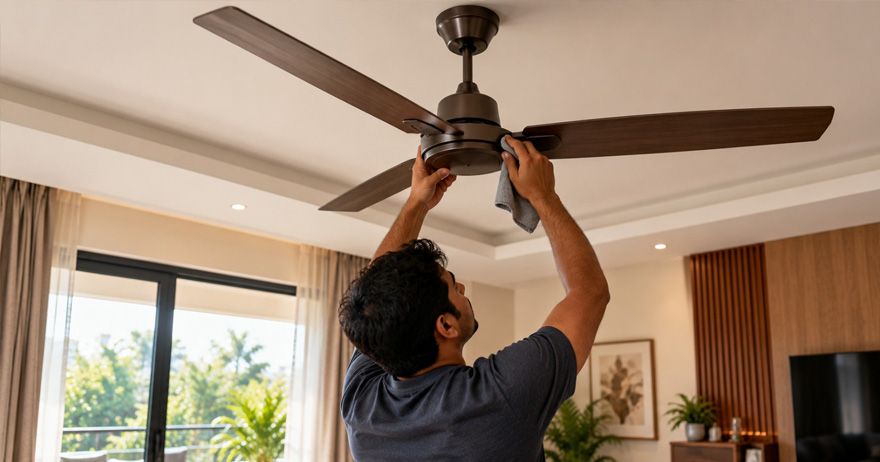
provided strong airflow gradually starts rotating more slowly. A slow fan may make a room feel warmer and can also indicate an electrical, mechanical, or maintenance issue that needs attention.
There is no single reason why a ceiling fan becomes slow. A weak capacitor, faulty regulator, dust buildup, bearing wear, voltage problems, loose connections, or motor-related issues can all affect performance. Sometimes the cause is relatively simple, while persistent speed loss may require professional inspection.
Here is what you should know about ceiling fan slowing down, common causes, safe troubleshooting, and when professional repair may be necessary.
Why Does a Ceiling Fan Slow Down Over Time?
A ceiling fan depends on several electrical and mechanical components working together. If one of these components becomes weak or develops a fault, the fan may not rotate at its intended speed.
Common reasons for a ceiling fan speed problem include a weak capacitor, a failing regulator, dust accumulation, motor issues, loose connections, voltage fluctuations, mechanical damage or wear and tear.
The symptoms can also provide clues. For example, a fan that runs slowly at every regulator setting may have a component problem, while a fan that behaves differently depending on the regulator may have a control-related issue.
A gradual speed reduction can also occur because several smaller problems develop at the same time.
Common Causes of Reduced Ceiling Fan Speed
Weak Capacitor
The capacitor is one of the most common components associated with a slow ceiling fan. It helps the fan motor start and operate correctly.
As a capacitor ages, its performance can deteriorate. A weak capacitor can cause:
- Reduced fan speed
- Difficulty starting
- Humming sounds
- Poor airflow
- Different speeds behaving unusually
If the fan has become noticeably slower without another obvious change, the capacitor is one component a qualified technician may check.
Faulty Regulator
The regulator controls the fan's speed. If it becomes faulty, the fan may not receive the appropriate control input.
A damaged or worn regulator can result in:
- Reduced maximum speed
- Inconsistent speed control
- Fan speed changing unexpectedly
- Fan working only at certain settings
If replacing or adjusting the regulator appears to change the fan's performance, the regulator may require professional inspection.
Dust and Dirt
Dust accumulation may not always be the main electrical cause of a slow fan, but excessive dirt can affect mechanical performance and airflow.
Dust can accumulate on:
- Fan blades
- Motor housing
- Upper surfaces
- Air vents
- Other accessible components
Heavy dust can add imbalance and may contribute to mechanical strain. It can also reduce how effectively the blades move air through the room.
Regular cleaning is therefore an important part of ceiling fan maintenance tips.
Bearing Wear
Ceiling fans contain moving parts that can experience wear over time. If bearings or other mechanical components become worn, friction can increase.
Possible signs include:
- Reduced speed
- Grinding or rattling sounds
- Unusual vibration
- Difficulty starting
- Increased noise
A bearing issue generally requires professional inspection rather than an attempt to dismantle the motor at home.
Motor Problems
The motor is the central component responsible for rotating the fan. Internal electrical or mechanical faults can reduce performance.
Motor-related problems may be accompanied by:
- Persistent slow operation
- Excessive heating
- Burning smell
- Unusual noise
- Repeated tripping of a protective device
- Difficulty starting
If these symptoms occur, stop using the fan and arrange a professional inspection.
How a Weak Capacitor Affects Fan Speed
A ceiling fan capacitor problem can be particularly noticeable because the capacitor plays an important role in the operation of many conventional ceiling fan motors.
A weak capacitor may cause the fan to:
- Start slowly
- Rotate below its usual speed
- Produce less airflow
- Take longer to reach its normal speed
- Behave inconsistently at different regulator settings
However, these symptoms are not enough to confirm that the capacitor is faulty. Similar symptoms can result from regulator problems, motor faults, voltage issues, or mechanical wear.
If the capacitor needs replacement, use a component with the correct specifications for the fan model and have the work completed by a qualified professional.
Regulator and Voltage-Related Problems
The regulator is another possible cause of a ceiling fan speed problem.
Older regulators may wear out or develop internal faults. Electronic regulators can also malfunction. If the fan does not respond normally when the speed setting changes, the regulator may need inspection.
If several appliances in the home are experiencing unusual performance at the same time, that may be a reason to have the electrical supply checked.
Dust, Dirt and Mechanical Wear
Routine cleaning is one of the simplest ways to maintain a ceiling fan.
Dust accumulation on blades can affect balance and contribute to vibration. Dirt around accessible parts can also make a fan look neglected and may contribute to mechanical problems over time.
Mechanical wear is completely different from ordinary dirt. If the fan continues to run slowly even after cleaning, especially when accompanied by noise, vibration, or difficulty starting, another component may need inspection.
Motor, Bearing and Internal Component Issues
A ceiling fan motor problem can cause constant loss of speed. Motors contain electrical windings, bearings, and other internal components that can deteriorate with age or prolonged use. Look out for signs like -
The fan remains slow at every speed setting.
- The motor becomes unusually hot.
- The fan makes grinding, humming, or rattling sounds.
- The fan takes longer than usual to start.
- There is a burning smell.
- The fan vibrates excessively.
- A protective device repeatedly trips.
Bearing these problems can increase the friction and prevent the blades from reaching their normal speed. Internal motor faults can also affect the performance.
Do not attempt to open or repair the motor yourself. Internal electrical components require appropriate testing and handling by a qualified technician.
Basic Checks You Can Perform Safely
Some basic observations can help to identify whether your fan has a maintenance issue or requires professional attention.
Start by checking whether the problem occurs at every speed setting. If the fan remains noticeably slow even at its highest setting, the issue may involve the capacitor, regulator, motor, voltage supply, or another internal component.
If the fan has visible electrical damage, switch it off and arrange professional inspection.
When Does a Slow Fan Need Professional Repair?
Not every slow fan needs immediate replacement. In many cases, a faulty component can be identified and repaired.
Professional inspection is particularly appropriate when:
- Cleaning does not improve the speed.
- The fan becomes unusually hot.
- The fan produces burning smells.
- There are sparks or visible electrical damage.
- The regulator does not work properly.
- The fan repeatedly stops or struggles to start.
- The fan makes persistent grinding or humming sounds.
- The fan causes a circuit breaker or protective device to trip.
- Wiring or connections appear damaged.
A technician can assess the capacitor, regulator, motor, bearings, connections, and supply conditions to identify the actual cause.
Do not continue operating a fan that shows signs of overheating, burning, sparking, or electrical damage. Turning it off and getting professional assistance is safer than repeatedly trying to restart it.
How to Maintain Ceiling Fan Speed and Performance
Regular maintenance can help keep a ceiling fan operating efficiently and may help identify developing problems before they become more serious.
Clean the Blades Regularly
Dust the blades periodically, particularly in rooms where dust accumulates quickly. Clean blades can also help maintain balanced operation.
Keep the Motor Area Free From Excessive Dust
Clean accessible exterior areas carefully, but avoid introducing moisture into the motor or electrical components.
Check for Unusual Sounds
A new humming, grinding, rattling, or clicking sound can indicate a developing mechanical or electrical issue.
Watch for Excessive Vibration
A fan that suddenly begins vibrating may have an imbalance, loose component, or mechanical problem that needs attention.
Do Not Ignore Reduced Speed
If your fan becomes progressively slower, investigate the problem rather than assuming that reduced speed is simply a normal consequence of age.
Use the Correct Regulator
Use a regulator compatible with the fan. An unsuitable or faulty regulator can affect performance.
Arrange Periodic Inspection
Older fans or fans that operate for many hours every day may benefit from periodic professional inspection, particularly if performance has changed.
Final Tips for Maintaining Your Ceiling Fan
A gradual ceiling fan speed dropping over time can have several causes, so replacing the fan immediately is not always necessary. Start with simple maintenance such as cleaning accessible surfaces and observing whether the fan has developed unusual sounds, vibration, heat, or starting problems.
If you are wondering how to increase ceiling fan speed, avoid trying to modify the fan or bypass its controls. The correct approach is to identify why the speed has decreased. A technician can determine whether the problem is related to the capacitor, regulator, motor, bearings, wiring, or electrical supply.